No-Code Web Development in 2027: What It Is, How to Start and Where It's Going
A few years ago, building a website meant hiring a developer. Today you can drag, drop and publish a site yourself, or describe what you want to an AI tool and get a first version in minutes. That is the promise of no-code web development, and it is real, with limits you should know before you start.
The short answer: No-code web development means building a website or web app with visual tools and ready-made components instead of writing code. It suits business sites, landing pages, portfolios and online stores. It struggles with complex custom features. In 2027, AI makes the first draft faster, but planning, content and SEO still decide whether the site works.
This guide explains what no-code is, how it works, which tools people use (including WordPress and Shopify), how to build your first site step by step, and what AI changes. It also covers what no-code means for SEO and speed, which most guides skip.
What is no-code web development?
No-code web development is building websites and web apps through visual interfaces, such as drag-and-drop editors, templates and settings panels, instead of writing code by hand. The platform turns your choices into working pages, hosting and (on many tools) forms, payments and databases.
It sits on a spectrum with two neighbours:
| No-code | Low-code | Custom code | |
|---|---|---|---|
| Who builds it | Anyone, with no coding skills | Someone comfortable adding small code snippets | A developer |
| How you build | Visual editor, templates, settings | Visual editor plus custom code where needed | Writing code in a code editor |
| Speed to launch | Fastest | Fast | Slowest |
| Control over design and features | Limited to what the platform allows | More | Full |
| Best for | Business sites, landing pages, portfolios, small stores | Sites that need a few custom features | Complex, large or highly custom projects |
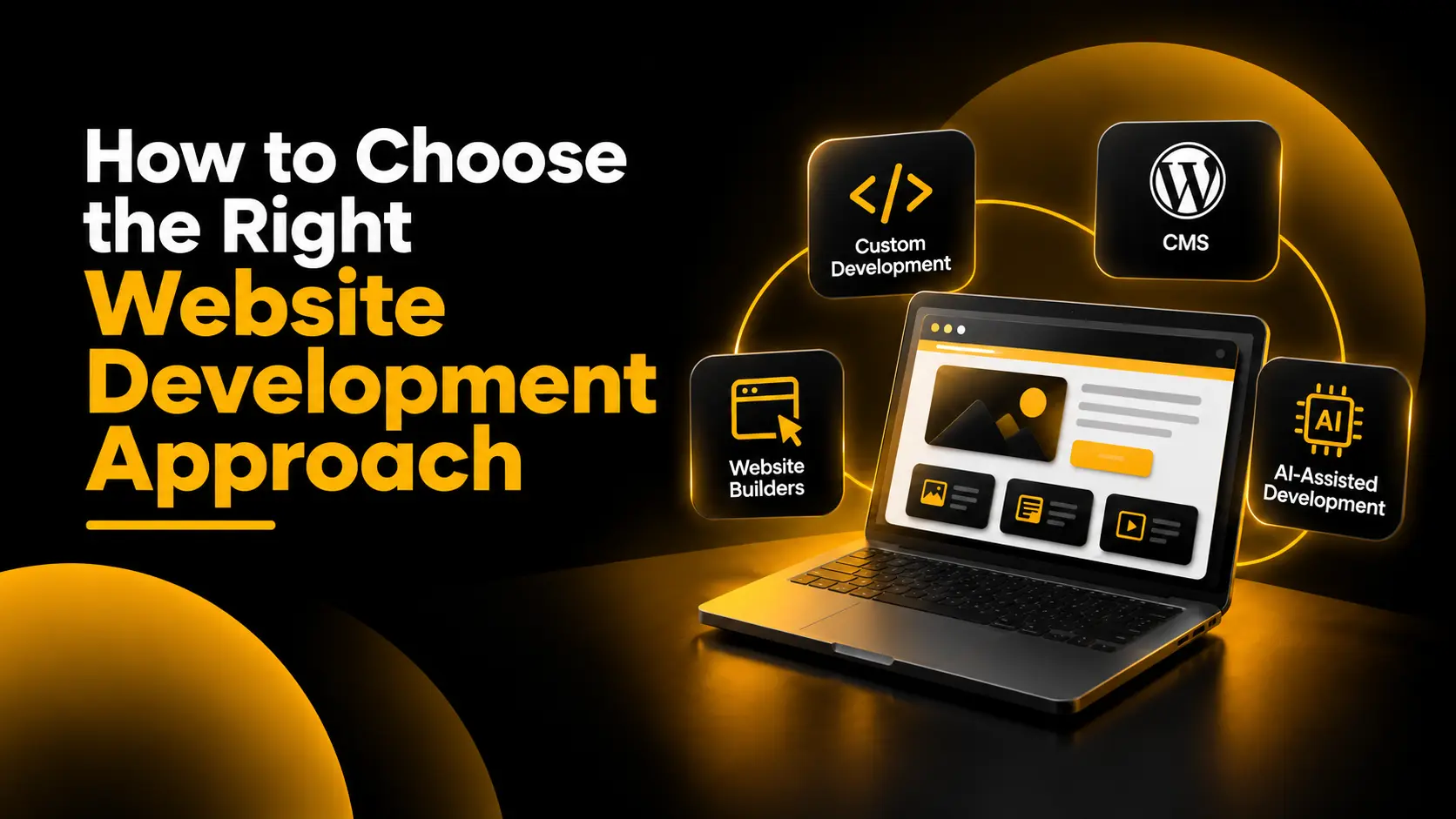
No-code does not mean no thinking. You still decide the goal, structure, content and tracking, and those choices matter more than the tool. If you are unsure which approach fits your project, my guide on how to choose the right website development approach compares custom code, CMS platforms, website builders and AI-assisted development.
How does no-code web development work, and which tools do people use?
Most no-code platforms bundle four things so you do not have to set them up separately:
- A visual editor where you place text, images, buttons and forms on a page.
- Ready-made parts, such as templates, sections and components you can reuse.
- Behind-the-scenes services, such as hosting, a content system, forms, payments or a database.
- One-click publishing to a live address, often with a connected domain.
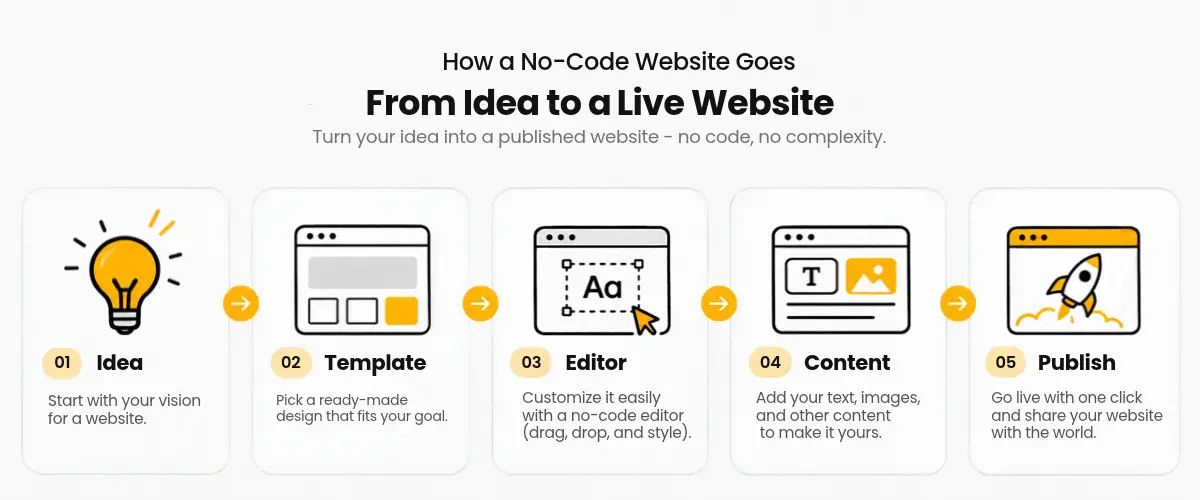
The tools fall into a few types. Pick by the kind of site you are building, not by which name is loudest.
| Type | Examples | Best for |
|---|---|---|
| Simple site builders | Wix, Squarespace | Small business sites, portfolios, simple stores |
| Design-led builders | Webflow, Framer | Marketing sites and landing pages where design control matters |
| WordPress with a page builder | WordPress with Elementor or similar | Content-heavy and SEO-focused sites, blogs, and stores through WooCommerce |
| E-commerce platforms | Shopify | Online stores, products, orders |
| App and database builders | Bubble, Adalo | Web or mobile apps with logins and data |
| AI builders | Lovable and similar tools | A fast first draft from a written description |
A note on WordPress and Shopify. Neither is strictly "pure" no-code, because you can add code when you need to. But most people run them with no code at all. With WordPress you can use a theme and a visual page builder. With Shopify you can set up a store from a theme and its settings, then add apps for extra features. That is why both are popular first choices.
The platforms are not identical, and each has its own strengths. For example, WordPress is often chosen when content and SEO control matter most, Shopify when selling is the main goal, and Webflow or Framer when design is the priority. Check each tool's current features before you commit.
How is AI changing no-code web development in 2027?
AI is changing no-code in three visible ways:
- A first draft from a description. AI builders such as Lovable let you describe a site or app in plain words and then refine it by chatting. This is often called "vibe coding".
- AI inside the builders. Established visual tools are adding AI features too. One 2026 industry guide notes that Webflow and Framer are adding AI code generation, so the line between no-code and code keeps blurring (source: Diggama, October 2026, a vendor of a headless CMS, so read its recommendations with that in mind).
- Faster content and layout work. Drafting copy, suggesting layouts and resizing images take minutes instead of hours.
What AI does not remove:
- Planning. AI builds what you describe. If the goal, audience and structure are unclear, you get a fast, unclear site. See website planning before development.
- Quality checks. Review the result on a phone, check the text for mistakes, and test every form and button before you publish.
- Security and upkeep. Someone still has to maintain logins, updates, backups and the accounts the site depends on.
- SEO and tracking. AI tools often give you a good-looking page that has weak titles, missing tracking or slow loading.
My view going into 2027: AI will make starting a site easier, so the difference will come from clear thinking, good content and technical basics, not from which tool you used.
How do you build a no-code website? 8 steps
- Define the goal. Decide what the site must do: bring enquiries, sell products, or show your work. One main goal keeps the design simple. Use my website planning guide to work through audience, budget and pages.
- List your pages and structure. Most business sites need a home page, service or product pages, an about page and a contact page. Sketch how they link together.
- Choose your tool. Use the five questions below.
- Start from a template. Pick one built for your kind of site, and keep its layout simple.
- Add your own content. Write clear headings, short paragraphs and one obvious next step on each page, such as a call, a form or a WhatsApp message. Use your own photos where you can.
- Check it on a phone. Most visitors will see it there first. Test the menu, buttons, forms and loading speed.
- Set up SEO and tracking. Give each page a unique title and description, a clear URL and image descriptions, then connect Google Search Console and conversion tracking. My SEO audit checklist lists what to check.
- Connect your domain and launch. Then keep improving it using real visitor data. A site is never finished on launch day. For why this matters, read why your website matters in digital marketing.
How do you choose a no-code tool? Five questions
- What are you building? A service business site, a store, a blog or an app each point to different tools.
- What is your budget? Include the platform plan, a domain and any paid add-ons. Check current pricing on each tool's own site.
- How much SEO control do you need? If search traffic is central, check that you can edit titles, descriptions, URLs and page structure.
- Who will maintain it? Pick a tool you or your team can comfortably update.
- Can you leave later? Check whether you can export your content if you outgrow the platform.
Match your answers to the tool types in the table earlier in this post.
Is no-code good for SEO, speed and tracking? A marketer's view
Most no-code guides stop at "launch your site". For a business, launch is where the real work starts, because a site that cannot be found or measured does not bring enquiries. Check these four things on any tool before you commit, and again before you publish.
1. Can you control the SEO basics? You should be able to edit each page's title and meta description, set clean URLs, add image descriptions (alt text), use proper headings, and create a sitemap. Most mainstream tools allow this, but the settings can be hidden in different places, so look for them early.
2. How fast is it? Visual tools can add extra scripts, animations and large images that slow a page. Test your pages in Google's PageSpeed Insights on mobile. Google's Core Web Vitals targets are loading the main content in under 2.5 seconds, responding to clicks in under 200 milliseconds, and keeping layout shift under 0.1. Compress images, remove effects you do not need, and avoid stacking many apps and plugins.
3. Can you track results? Connect Google Search Console and Google Analytics, and set up conversion tracking for calls, form submissions and WhatsApp clicks. Without it you cannot tell which pages bring enquiries. Why your website matters in digital marketing explains why this is the foundation of every channel.
4. Are you locked in? Some platforms make it hard to move your content elsewhere. Before you commit, check what you can export, such as pages, products, images and redirects.
If you want a second pair of eyes, my website development service covers planning, building and setting up a site that search engines and customers can both use.
What can you build with no code, and where does it stop?
No-code works well for:
- Business and service websites
- Landing pages for campaigns and ads
- Portfolios and personal sites
- Small online stores
- Blogs and content sites
- Simple internal tools and prototypes
It struggles with:
- Complex custom features and unusual logic
- Very large sites or heavy traffic that need fine performance tuning
- Strict security or compliance needs
- Designs that go beyond what the platform allows
Pros and cons
| Pros | Cons |
|---|---|
| Launch in days, not months | Limited by what the platform allows |
| Lower starting cost | Monthly fees and add-ons can build up |
| You can edit the site yourself | Risk of being locked into one platform |
| Good templates and built-in hosting | Speed and SEO depend on how you use the tool |
When to hire a developer or specialist instead. If you need custom features, complex integrations, or tight control over speed and search performance, or if you simply do not have time to set it up well, a professional can save you money in the long run. That is where my website development service fits.
No-code as a skill. Knowing how to build, launch and measure a site with these tools is a useful skill for freelancers, marketers and business owners. If you want to learn it hands-on, my training includes one-to-one guidance on creating websites and SEO.
What mistakes should you avoid with no-code?
- Choosing the tool before the goal. Start with what the site must do. See how to choose the right website development approach.
- Skipping the plan. A fast build on a weak plan wastes time. Plan pages, audience and calls to action first.
- Ignoring mobile. Check every page on a phone before launch.
- Leaving SEO until later. Set titles, descriptions, URLs and headings while you build.
- Using too many apps and effects. They slow the site down.
- Not tracking results. Set up conversion tracking before you spend on ads or content.
- Trusting AI output without checking. Read every line, test every link, and review the design.
Frequently asked questions
What is no-code web development?
No-code web development is building a website or web app with visual tools, templates and settings instead of writing code. The platform handles the code, hosting and publishing, so people without coding skills can launch a site.
Can I build an online store with no code?
Yes. Shopify is built for online stores, and you can set one up from a theme and its settings. WordPress with WooCommerce is another route. Both let you add code later if you need it.
Is WordPress no-code?
Not strictly, because WordPress lets you add and edit code. But you can build a full site with a theme and a visual page builder without writing any, so many people use it as a no-code option.
Can a no-code website rank on Google?
Yes, if the tool lets you control titles, descriptions, URLs, headings and page speed, and you publish useful content. Rankings depend on the quality of the site and its content, not on whether it was built with code.
Will AI replace no-code in 2027?
More likely the two will merge. Visual builders are adding AI features, and AI builders are adding visual editing. AI makes the first draft faster, but planning, content, SEO and quality checks still need a person.
Do I need to know coding to use no-code tools?
No. You will learn faster if you understand basic website ideas such as pages, links, forms, domains and hosting, but you do not need to write code.
Need help building or learning?
If you want a site built and set up properly, take a look at my website development service. Learn to build and rank your own site, step by step, with my one-to-one website and SEO training.